Field Notes D05
Implement Azure Role Assignment by AAD Application with PowerShell Script
Implement Azure Role Assignment by AAD Application with PowerShell Script

The requirement is to use one application’s service principal in Azure AD to assign an Azure role to a second application’s service principal.
To look up the second service principal, an Azure AD administrator needs to grant the directory-read permission shown below to the first application’s service principal. Creating the Azure role assignment also requires Microsoft.Authorization/roleAssignments/write at the target scope; directory-read permission alone is not enough.
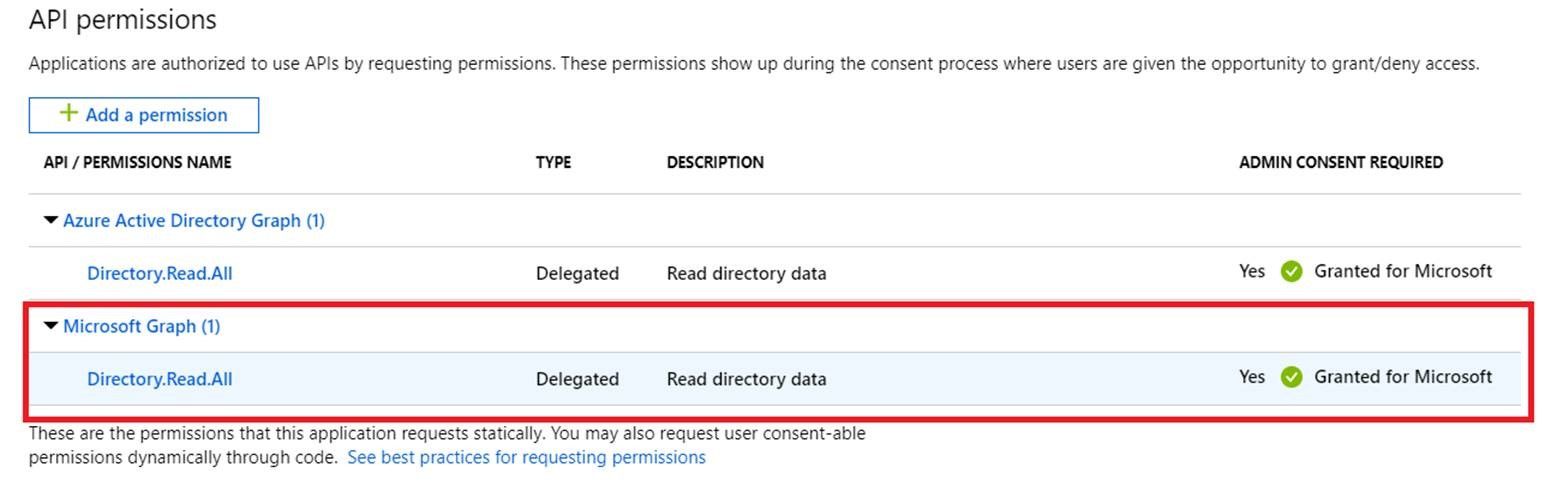
Then the following script can assign a role to the second application’s service principal for the specified resource:
# INPUT YOUR FIRST APPLICATION ID/SECRET
$creds = Get-Credential

$appId = "<YOUR_SECOND_APPLICATION_ID>"
$tenantId = "<YOUR_DIRECTORY_ID>"
Connect-AzAccount -Credential $creds  -ServicePrincipal -Tenant $tenantId
$spId = (Get-AzADServicePrincipal -ApplicationId $appId).Id

New-AzRoleAssignment -ObjectId $spId -RoleDefinitionName Reader -Scope "<YOUR_RESOURCE>"
Some comments on the script:
New-AzRoleAssignment -ObjectIdexpects the service principal’s object ID, not the application (client) ID or the application registration’s object ID.Get-AzADServicePrincipal -ApplicationId $appIdlooks up the service principal by its application ID. ItsIdproperty supplies the object ID needed for the role assignment; the lookup requires appropriate directory-read permission.